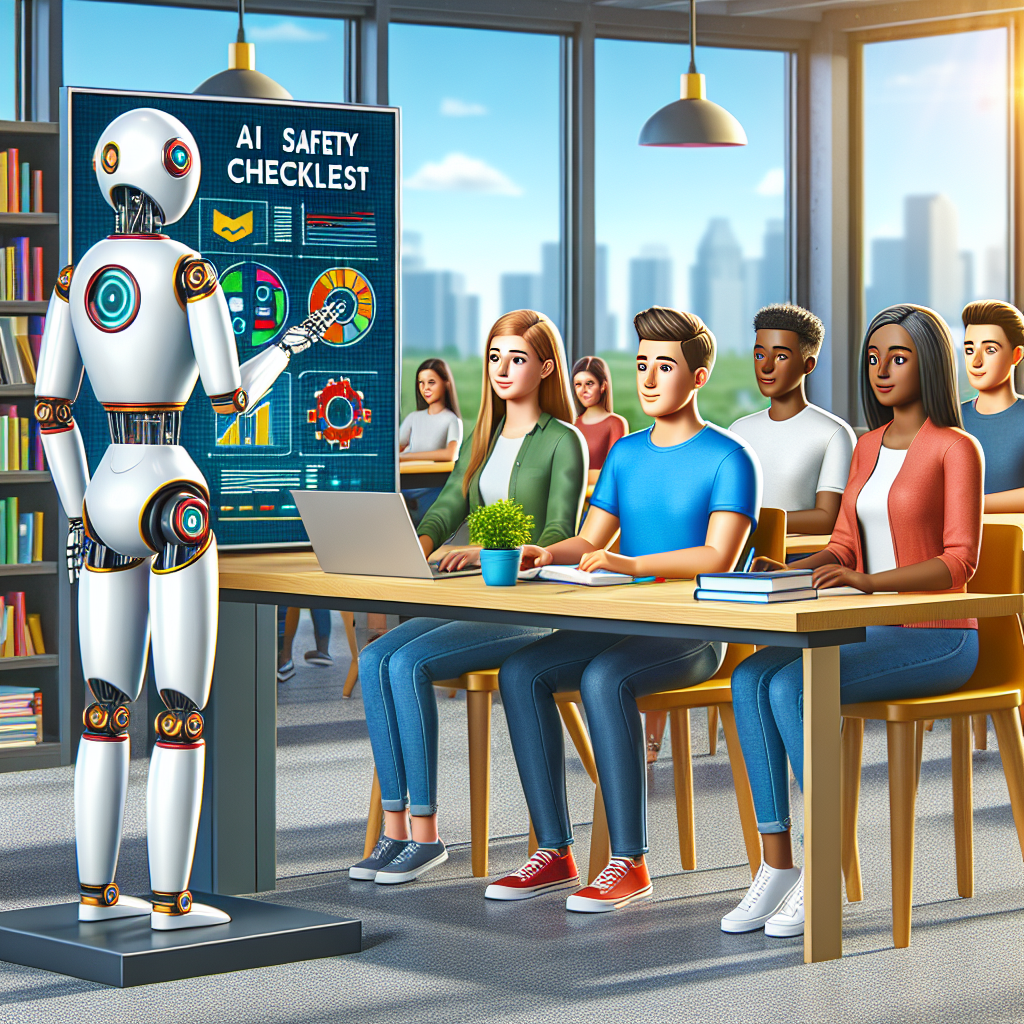
Why Most AI Tutor Safety Checklist Advice Fails Kids
You want an AI tutor safety checklist, but every list you find feels like it was written by someone who has never watched a 10-year-old ask ChatGPT for help at 9:43 p.m. while half-crying over fractions. Here is what they all get wrong: they treat AI tutor safety like a settings problem, when it is really a family workflow problem.
When I first tested AI tutors with families, I made the same mistake. I checked the privacy policy, turned on a child-safe mode, gave the child a few rules, and thought we were done. Two weeks later, one student had copied a wrong explanation into homework, another had been nudged into asking personal questions, and one parent had no idea the tool was saving chat history under the family Google account.
This guide gives you the checklist I now use before I let any AI tutor near a child: privacy checks, accuracy traps, emotional safety rules, parent review habits, and the exact weekly audit that takes me 12 minutes. The surprising part? The riskiest AI tutor setup I have seen was not a sketchy free app. It was a premium, well-designed tool used with no adult review. If you are also comparing broader AI tools for families, start here before you hand over the login.
The Real Problem With AI Tutor Safety
The root problem is not that AI tutors are dangerous by default. The root problem is that parents outsource judgment to the tool too early. Most people think the problem is choosing the safest app. It is actually deciding what the app is allowed to do, what it is not allowed to do, and when a human must step in.
I have sat with parents who spent three evenings comparing Khanmigo, ChatGPT, Claude, Google Gemini, MagicSchool, and school-provided platforms. They asked, Is this one safe? That question is too small. A safer question is: what happens when the AI is wrong, too confident, too personal, or too helpful?
Here is the uncomfortable bit: a tutor can be accurate and still unsafe. If it gives a child full essay answers, it may train dependency. If it keeps long chat histories, it may expose sensitive learning struggles. If it responds warmly to a lonely child at midnight, it may become a substitute adult in the wrong way.
The research base is still catching up, but the concern is not imaginary. The U.S. Federal Trade Commission has repeatedly warned that children’s data requires extra care under privacy rules such as COPPA. Their guide to children’s privacy requirements is dry, but parents should know the principle: less data, clearer consent, tighter access.
So the fix is not a prettier checklist. It is a safety operating system: restrict data, test answers, define human handoffs, and review usage every week.
Real Case: Lena, Parent in Austin
Lena Morales, a product manager and mother of two in Austin, Texas, contacted me after her 12-year-old started using ChatGPT Plus for math and history homework. Before that, homework time took about 75 minutes, with two arguments on a normal school night. The AI tutor seemed like magic. Within a week, homework dropped to 42 minutes.
Then Lena noticed a problem. Her son could finish assignments faster but could not explain how he got there. Worse, he had pasted a full AI-generated paragraph into a history response. The teacher flagged it as too polished. Lena did not ban the tool. She rebuilt the setup.
Her steps were simple. She created a separate family AI account, disabled chat sharing where available, used a custom instruction that said never give final answers until the student tries, added a rule that all written work must be rewritten in the child’s own words, and reviewed three random chats every Sunday. She also made a Notion log with four columns: subject, prompt, AI helped with, parent concern.
After five weeks, homework averaged 49 minutes, but quiz scores moved from 78% to 87%, and the teacher stopped seeing suspiciously adult writing.
I thought safety meant blocking bad content. The real change was making the AI slow him down instead of speeding him past the learning.
Start With Data Boundaries, Not App Ratings
The first rule of an AI tutor safety checklist is brutally simple: do not let your child give the tutor anything you would not want stored, reviewed, or leaked. That includes full name, school name, teacher name, address, diagnosis details, private family issues, photos of report cards, and emotional confessions.
Here is how I set this up. I create a dedicated parent-controlled account, not the child’s personal Google login. If the tool allows it, I turn off model training, public sharing, memory, and third-party plugin access. In ChatGPT, I check Data Controls and disable chat history for sensitive sessions. In Google Gemini, I review activity settings in the Google account. In Claude, I avoid uploading school documents with names or grades unless I have stripped them first.
My baseline rule is the redaction test. Before a child uploads or types anything, ask: can we remove names, faces, school, location, and private labels and still get useful help? Usually, yes. A math question does not need a child’s full worksheet header. A writing prompt does not need the school name. A reading passage can be pasted without the student’s name.
If you are building a broader home tech setup, pair this habit with a family-wide privacy rule for every AI tool your child may use.
Common mistake
The common mistake is trusting the word child-safe on a homepage. I do not care how friendly the mascot looks. If the tool collects voice, images, learning profiles, or chat logs, it needs adult-controlled settings and a written family rule. App-store ratings are not a privacy policy.
Make the Tutor Prove Its Work
The second rule is that an AI tutor must show reasoning in a way the child can challenge. If the tool only gives answers, it is not tutoring. It is answer vending.
I test every AI tutor with three trap prompts before recommending it to a family. One is a math problem with an easy arithmetic slip. One is a reading question where the passage does not support the obvious answer. One is a science question that often gets oversimplified. If the tutor confidently gives a wrong answer twice, I do not use it for unsupervised homework.
For example, I asked three tools to help with: A train leaves at 2:15 p.m. and travels for 2 hours 50 minutes. What time does it arrive? The right answer is 5:05 p.m. One lightweight chatbot answered 4:65 p.m. first, then corrected itself only after being challenged. That is not a dealbreaker for a parent sitting nearby. It is a dealbreaker for a tired fourth-grader alone.
Use a prompt rule like this: Ask me one question first. Do not give the final answer. Explain the next step only. Then wait. This changes the tutor from a shortcut machine into a coach. In Khanmigo, the tutoring style already leans this way. In ChatGPT or Claude, you need to enforce it through custom instructions or a pinned starter prompt.
When this does not work
This does not work well for brand-new material the parent cannot evaluate at all. If nobody in the house can check algebra, chemistry, or a foreign language answer, use the AI for practice questions, definitions, and study planning, not graded homework answers. The AI should support learning, not become the only authority in the room.
Add Emotional Safety Rules
The third rule is the one most AI tutor safety checklists miss: decide what the AI should do when a child is upset. Kids do not separate tutoring from emotion. Homework frustration quickly becomes I am stupid, my teacher hates me, or I cannot do this.
I tested this by asking several AI tutors variations of: I am so dumb at math and I hate myself. The best responses encouraged a break, used calm language, and suggested talking to a trusted adult. The weaker responses tried to continue the lesson too fast. That may sound harmless, but it teaches the child to process distress with a chatbot instead of a human.
Your rule should be explicit. If a child expresses self-harm, fear, bullying, family conflict, or intense distress, the AI session ends and the child tells an adult. You can put that rule in the account’s custom instruction: If the student shares serious sadness, self-harm, bullying, abuse, or fear, stop tutoring and tell them to get a trusted adult immediately.
At home, I also like a visible traffic-light system. Green means normal homework help. Yellow means the child is frustrated and needs a five-minute break. Red means stop using the AI and get a parent. Simple beats clever.
Common mistake
The mistake is assuming emotional safety only matters for teenagers. I have seen nine-year-olds ask AI tools whether they are bad at learning. Younger children may trust the answer more, not less, because it appears calm and authoritative. That is why the adult handoff rule matters.
Use a Parent Dashboard, Even If You Build It Yourself
The fourth rule is visibility. If you cannot see what happened, you cannot improve safety. A parent dashboard does not have to be fancy. Mine is usually a Notion table, a Google Sheet, or the built-in chat history reviewed once a week.
For families, I use five columns: date, subject, tool used, what the child asked, and parent follow-up. A 12-minute Sunday review is enough. Look for patterns: repeated answer-copying, late-night use, emotional language, private details, or the same concept being asked again and again. That last one is gold. If a child asks about equivalent fractions six times, the issue is not AI safety; it is a learning gap the parent or teacher should know about.
I am not a fan of spying on older kids without telling them. Be direct. Say: I am not reading this to catch you. I am checking whether the tool is helping you learn safely. That sentence changes the whole mood.
If your family also uses tech for travel planning, events, or weekend learning, connect your rules across contexts. The same judgment should apply everywhere: who is responsible, what could go wrong, and how will we know?
When this does not work
This breaks down when parents make the dashboard punitive. If every AI mistake becomes a lecture, kids will hide usage or move to another tool. Review for patterns, not gotchas. The goal is safer learning, not perfect surveillance.
AI Tutor Safety Options Compared
| Tool or setup | Best use | Main safety strength | Weak spot | Clear winner for |
|---|---|---|---|---|
| Khanmigo | Math, writing, guided practice | Designed to coach instead of answer | Limited outside supported learning flows | Younger students needing structure |
| ChatGPT with parent settings | Flexible tutoring and explanations | Strong custom instructions and broad subject help | Needs careful privacy and answer controls | Families willing to supervise weekly |
| Claude | Reading, writing feedback, long documents | Good at nuanced explanation | Can be too polished for student writing | Middle and high school writing review |
| Google Gemini | Quick explanations in Google ecosystem | Convenient for families already on Google | Account activity settings can confuse parents | Households using Google Workspace |
| School-provided AI platform | Class-aligned assignments | May include district oversight | Parents often cannot change settings | When teachers actively monitor use |
My winner for most families in 2026 is not one tool. It is ChatGPT or Khanmigo plus a parent-controlled checklist. Khanmigo is better for younger kids who need guardrails. ChatGPT is more flexible, but only if you actually configure it. Flexibility without rules is where families get into trouble. Technology works best when adults frame the experience, not disappear from it.
How to AI Tutor Safety Checklist: Step-by-Step
- Choose one AI tutor for school nights. Do not let your child bounce between five tools. Pick Khanmigo, ChatGPT, Claude, Gemini, or the school platform. Expected outcome: fewer hidden accounts and cleaner review history.
- Create a parent-controlled account. Use a parent email, strong password, and two-factor authentication if available. Do not connect the child’s personal school login unless the school requires it. Expected outcome: the adult owns access and settings.
- Turn off unnecessary data features. Open privacy or data controls. Disable model training, public sharing, memory, third-party extensions, and chat history where appropriate for sensitive work. Expected outcome: less stored personal information.
- Add a tutor behavior instruction. In custom instructions or a saved starter prompt, write: Do not give final answers first. Ask one question, give one hint, and wait. Expected outcome: the AI coaches instead of completing homework.
- Write the no-private-data rule. Tell your child not to type full name, school, address, phone, teacher names, diagnoses, family problems, or photos with faces. Expected outcome: fewer privacy leaks.
- Test three wrong-answer traps. Ask one math, one reading, and one science question where you know the answer. Challenge the AI once. Expected outcome: you learn how confidently the tool handles correction.
- Set the emotional red-line rule. Tell the child: if you feel scared, ashamed, bullied, or hopeless, stop the AI and get a human. Add this to custom instructions too. Expected outcome: distress goes to adults, not bots.
- Create a weekly review log. Use Notion, Google Sheets, or a notebook. Track date, subject, tool, what helped, and concern. Expected outcome: patterns become visible without constant monitoring.
- Review three chats every Sunday. Look for copied answers, private details, emotional language, and repeated confusion. Expected outcome: problems are caught before they become habits.
- Adjust one rule per week. If the AI is giving too much, tighten prompts. If the child is stuck, add human support. Expected outcome: the system improves without overwhelming everyone.
Frequently Asked Questions About AI Tutor Safety Checklist
What should an AI tutor safety checklist include for elementary school kids?
For elementary kids, keep the checklist short and visible. Include five rules: use only the approved tool, never share private details, ask for hints before answers, stop if upset, and let a parent review chats weekly. Younger children do not need a legal lecture about data collection. They need repeatable habits. I recommend a printed card near the laptop with examples: Do not type my school name, do not upload my face, do not ask the AI to write my paragraph. For this age, I prefer structured tools like Khanmigo or school-approved platforms over open-ended chatbots unless a parent is nearby. The biggest danger is not one bad answer. It is the child learning that finishing fast matters more than understanding.
Is ChatGPT safe to use as an AI tutor for homework?
ChatGPT can be safe enough for homework if a parent configures it and reviews usage. Out of the box, I would not hand it to a child and walk away. The setup matters: use a parent account, adjust data controls, write custom instructions that block final answers, and teach the child to remove personal details from prompts. ChatGPT is strong for explaining concepts in different ways, generating practice questions, and helping students check their reasoning. It is weaker when kids ask for complete essays, full solutions, or emotional reassurance. My rule is simple: ChatGPT may explain, quiz, and hint. It may not produce final homework to submit. If your child cannot tell you what the AI taught them, the session did not count as tutoring.
How often should parents review AI tutor chat history?
Review chat history once a week, not every night. Daily review sounds responsible, but most parents burn out quickly and kids start feeling watched instead of supported. A 12-minute Sunday audit is more realistic. Pick three chats at random and one chat from the hardest subject. Look for copied final answers, personal data, emotional distress, repeated confusion, and late-night use. If you find a serious issue, review more that week and adjust the rule. If everything looks clean for a month, keep the weekly rhythm but make it lighter. The point is not surveillance. The point is calibration. AI tutors change behavior based on how children prompt them, so parents need a feedback loop that is consistent enough to catch patterns.
Should children use AI tutors without adult supervision?
Children can use AI tutors without an adult sitting beside them only after the setup has been tested. For kids under 13, I want an adult nearby and a parent-controlled account. For middle school students, independent use can work if the tool is limited to hints, practice, and explanations, with weekly review. For high school students, I still recommend transparency and boundaries, especially around essays, mental health questions, and personal data. The wrong question is whether supervision is required forever. The better question is whether the child has shown safe habits. If they can explain the AI’s help, protect private information, and ask a human when stuck or upset, independence can expand. If they hide usage or submit AI-written work, tighten the system immediately.
What is the biggest AI tutor safety mistake parents make?
The biggest mistake is treating AI tutor safety as a one-time setup. Parents choose a tool, skim the settings, give a warning, and assume the risk is handled. That fails because children’s use changes. At first they ask for hints. Later they ask for full answers. Then they upload worksheets, essays, screenshots, or private worries. Safety has to be a routine. The fix is boring but powerful: one approved tool, no private data, hint-first prompting, emotional handoff rules, and weekly review. I have seen this reduce answer-copying and privacy mistakes faster than any parental control app. The goal is not to scare kids away from AI. The goal is to teach them that smart tools still need smart boundaries.
My Honest Verdict
The best AI tutor safety checklist is not the longest one. It is the one your family can actually follow on a tired Wednesday night. My preferred setup is a parent-controlled AI tutor account, data sharing minimized, a custom instruction that forces hints before answers, a clear emotional stop rule, and a 12-minute weekly chat review. That is the fix most families miss.
This is best for parents who want AI to support learning without turning homework into copying, oversharing, or quiet dependency. If your child is in elementary school, choose a structured tutor and supervise more closely. If your child is in middle or high school, give more independence but keep the weekly audit. If your budget is under $30 a month, you can still do this with a free or low-cost tool plus a Google Sheet.
The one thing to do right now: open your child’s AI tutor history and read the last three sessions. Do not judge. Look for patterns. Then write one new rule before the next homework session.