Remote work tools work better when a handoff identifies the file, the responsible person and the permission they need. For Dropbox, start with a harmless sample, give the intended recipient the narrowest useful role, and verify access before sharing real project material.
Remote work tools: define the handoff first
This guide covers an existing Dropbox account and a file or folder you are allowed to share. It does not require an AI service, an API key or an additional automation. If your employer controls sharing, follow its policy and ask the administrator about unavailable options.
Write the handoff in one sentence: “The reviewer needs to read the sample brief and comment; the author keeps responsibility for revisions.” This separates review from editing. Do not grant edit access merely because the recipient cannot find the invitation.
Choose and verify the permission
- Prepare a test document containing invented project details. Give it a recognisable name such as “Handoff practice — sample brief”. Check the containing folder for unrelated files before sharing it.
- Choose the access needed. Dropbox’s sharing guide distinguishes invitations and links, and viewing from editing. A view-only link can still allow downloading; it is not a way to prevent copying.
- Use the file or folder’s sharing controls to invite the intended person. Check the destination and permission before sending. Avoid an anyone-with-the-link setting for information intended for a named recipient.
- Review folder membership on dropbox.com. Open the folder’s more-options menu, select Manage permissions, then inspect the role beside the member. Dropbox documents the Can view and Can edit roles. Viewers can read and download; editors can also change and delete files. Access to a parent folder extends to its subfolders.
- Ask the recipient to open the sample while using the intended account. Verify the real action needed: reading and commenting, or editing a disposable practice file. Record the result before handing over business material.
A remote handoff record
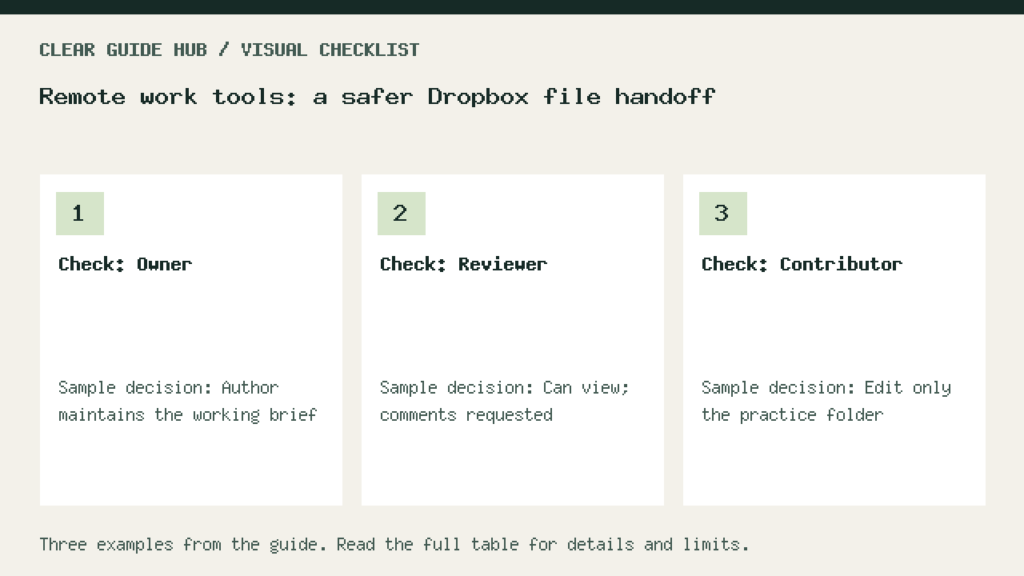
Illustrative worksheet: replace these sample entries with your own checks. These are proposed checks, not measured results.
| Check | Sample decision | Evidence to record |
|---|---|---|
| Owner | Author maintains the working brief | One current file identified |
| Reviewer | Can view; comments requested | Recipient opens the sample |
| Contributor | Edit only the practice folder | Expected edit works; scope checked |
Resolve common handoff problems
The link opens for you but not the recipient: your own owner session is not a recipient test. Check the invitation address and the recipient’s signed-in account. Do not solve every access error by making the folder public.
The recipient has more access than expected: inspect parent-folder membership and existing links. Changing a default sharing preference does not retroactively change every older link. Review the actual shared item.
Several copies compete: name one working file and an owner. Ask collaborators to comment there instead of sending another unnamed attachment. Keep an archive only when its purpose and access are clear.
A useful completion record
Keep the handoff note with the project: file location, owner, reviewer, access type, required action and review date. The example below is a proposed checklist, not a claim that a real recipient was tested. Do not put confidential file names or addresses in a public log.
Begin with the sample brief. Once the intended recipient can perform the agreed action, repeat the permission check on the real item before sharing it.